Help center · Create & publish
Media library
Everything you upload or make for a brand is collected here automatically: composer uploads, AI images and videos, video clips and media from your posts.
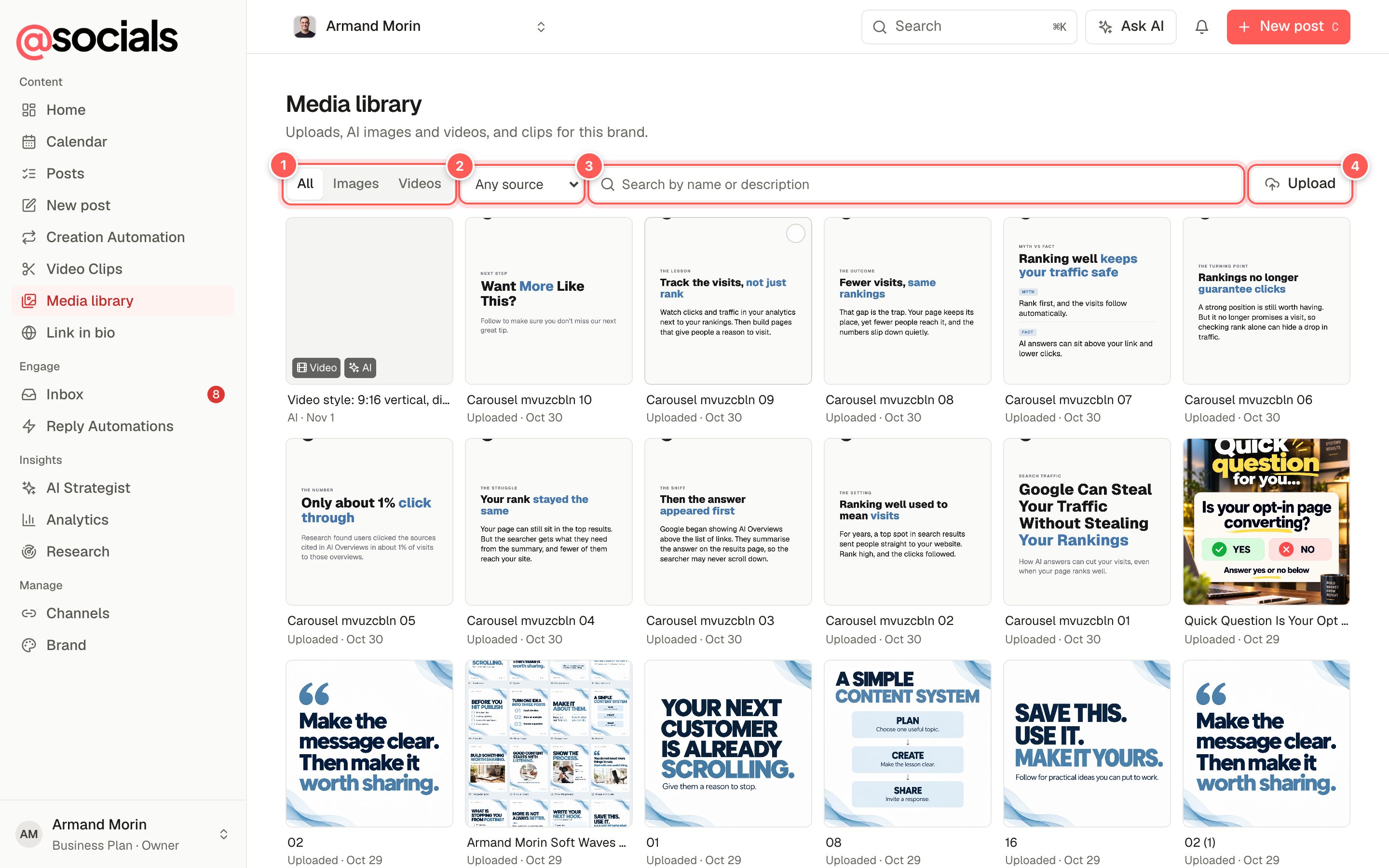
- Type: all, images or videos.
- Source: uploaded, AI-generated, video clips or from posts.
- Search by file name or AI description.
- Upload adds new files without starting a post.
Use media in a post
Click files to select them. The top of the page shows how many are selected.
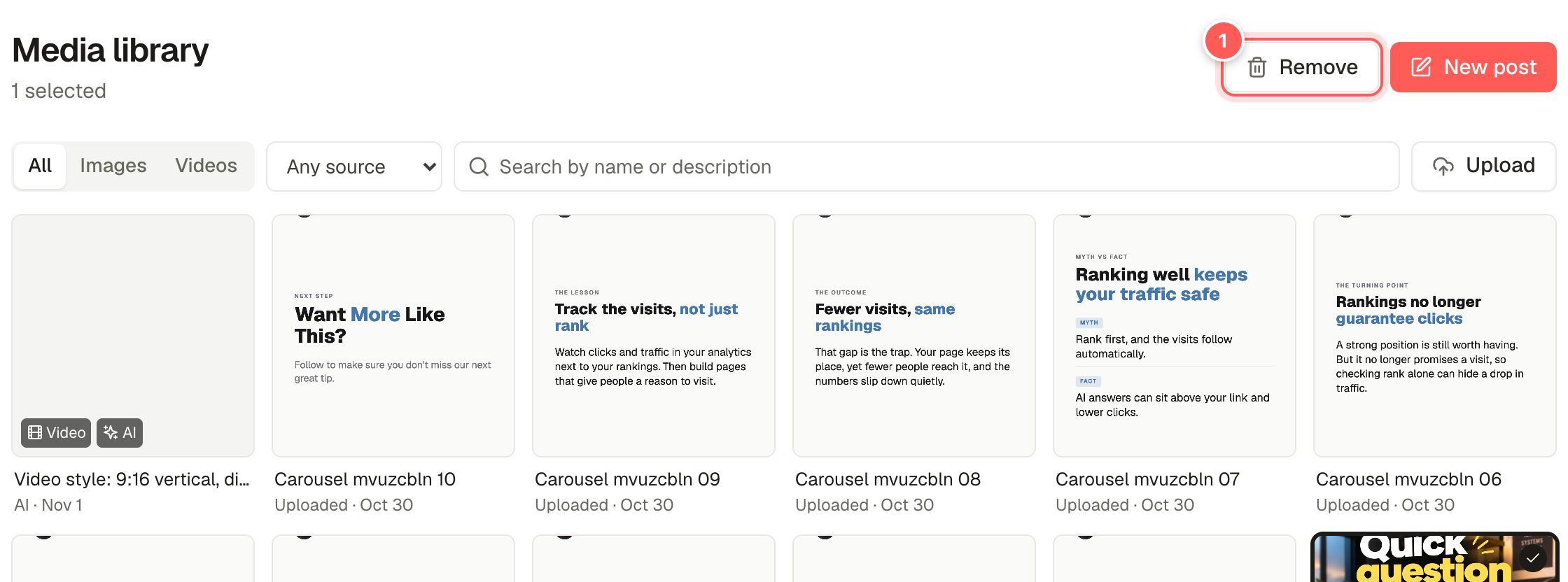
- Remove hides the files from the library. Posts that already use them aren't affected.
- New post opens the composer with the selected files attached.
You can also pick from the library while writing a post: in the composer, click Library next to Media, choose files and click Add to post.
Files expire after 7 daysMedia is held in temporary storage. Files used by posts that haven't gone out yet are kept alive automatically, but older library files may stop opening. Keep your originals and upload them again if needed.