Help center · Manage
Channels
A channel is one connected account: an Instagram profile, a Facebook Page, a YouTube channel. Each brand has its own channels. This page shows how they're doing and lets you add, pause or remove them.
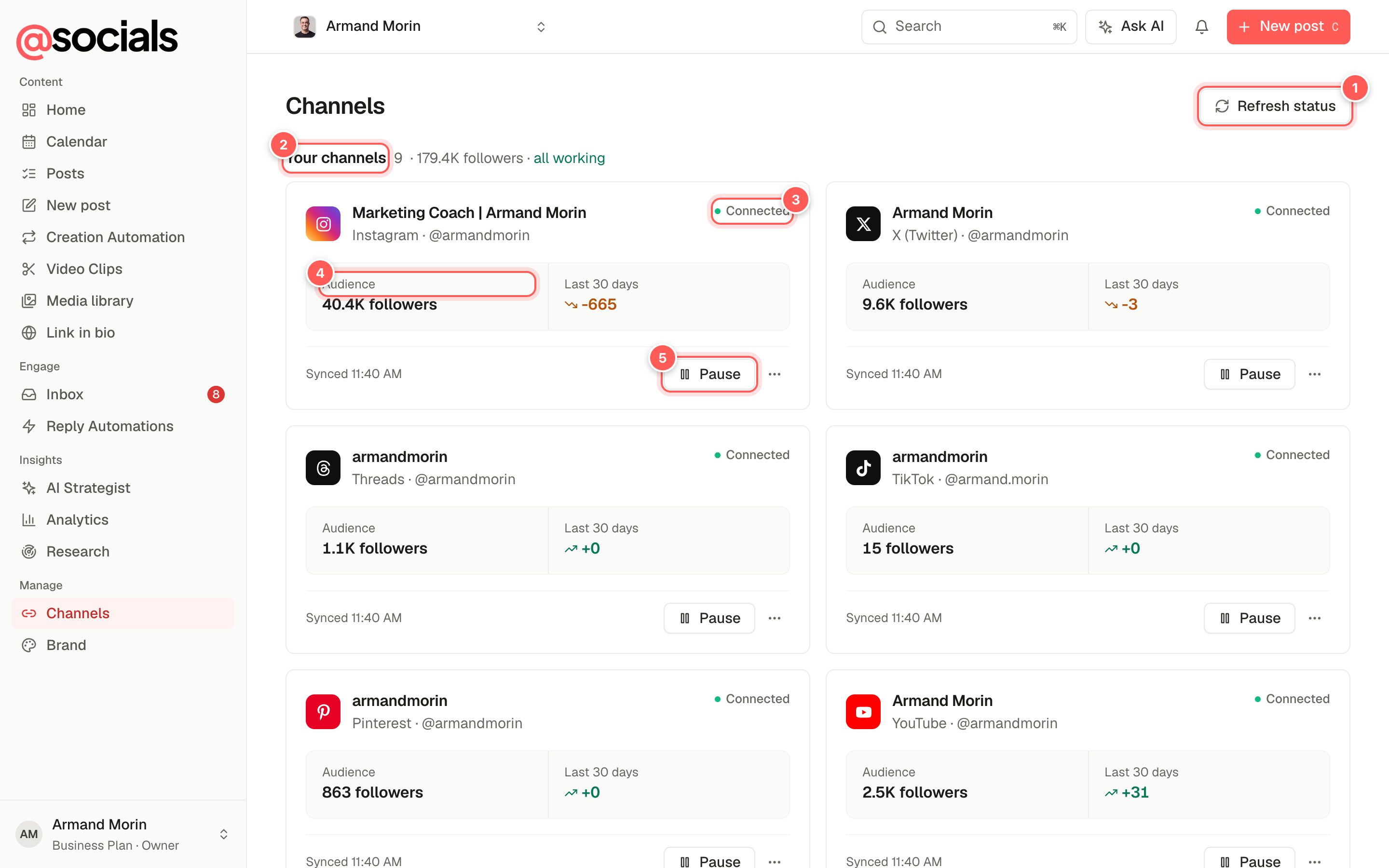
- Refresh status checks every connection again.
- Summary: how many channels, total followers, and whether they're all working.
- Status. Connected means posts will go out. Needs reconnecting means the network stopped the connection and you need to sign in again.
- Audience and the change over the last 30 days.
- Pause stops posting to this channel until you resume it. See Pause a channel.
Connect a channel
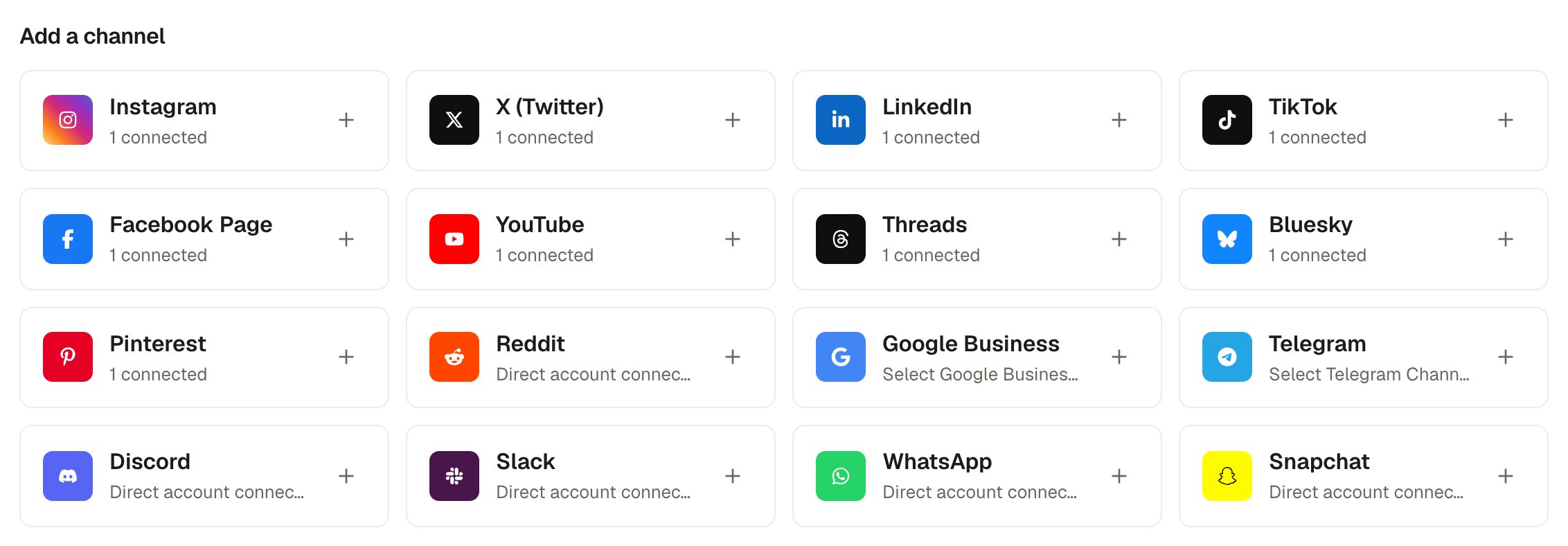
- Click the network you want.
- Sign in on the network's own page and allow access. You come back to AtSocials automatically.
- For Facebook, LinkedIn, Pinterest and Google Business, pick the Page, company page, board or location to use.
- The channel appears at the top with the status Connected.
Supported networks: Instagram, Facebook Page, X (Twitter), LinkedIn, TikTok, YouTube, Threads, Bluesky, Pinterest, Reddit, Google Business, Telegram, Discord, Slack, WhatsApp and Snapchat. How many channels you can connect depends on your plan.
InstagramConnect Instagram through Facebook if you want competitor tracking. Instagram must be a business or creator account for publishing and the inbox to work.
Reconnect or disconnect
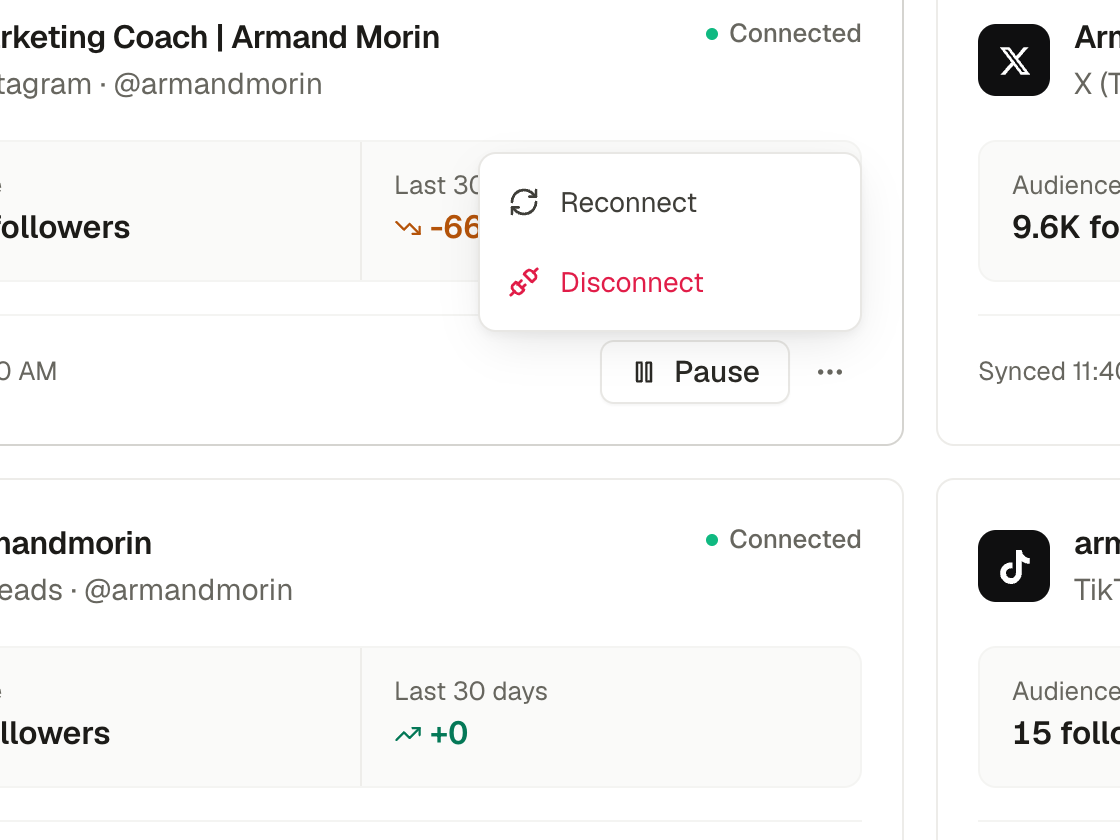
- Reconnect signs in again. Do this when a channel says Needs reconnecting, after you change the account's password, or when posts fail with "tokens expired". Your posts and history are kept.
- Disconnect removes the channel from this brand. Scheduled posts stop going to it.
You also get a notification and an email when a channel needs reconnecting.
Pause a channel
Pausing is for a break, a rebrand or a channel under review: nothing is published there until you resume, and you don't lose your schedule.
- The channel is taken off every upcoming post. Posts going to other channels still go out there.
- A post whose only channel is paused is held. It shows Held: channel paused in the calendar and keeps its time.
- You can't add a paused channel to a new post.
- Resume puts the channel back on upcoming posts. Held posts that are still at least 2 minutes away go out as planned; held posts whose time has passed become drafts.
Only owners and admins can pause and resume channels.