Help center · Engage
Inbox
The inbox brings direct messages, comments and reviews from all your channels into one place, so you can answer everything without opening each app.
The line under the title tells you whether all channels are connected and, if you have Google Business reviews, your average rating.
Messages
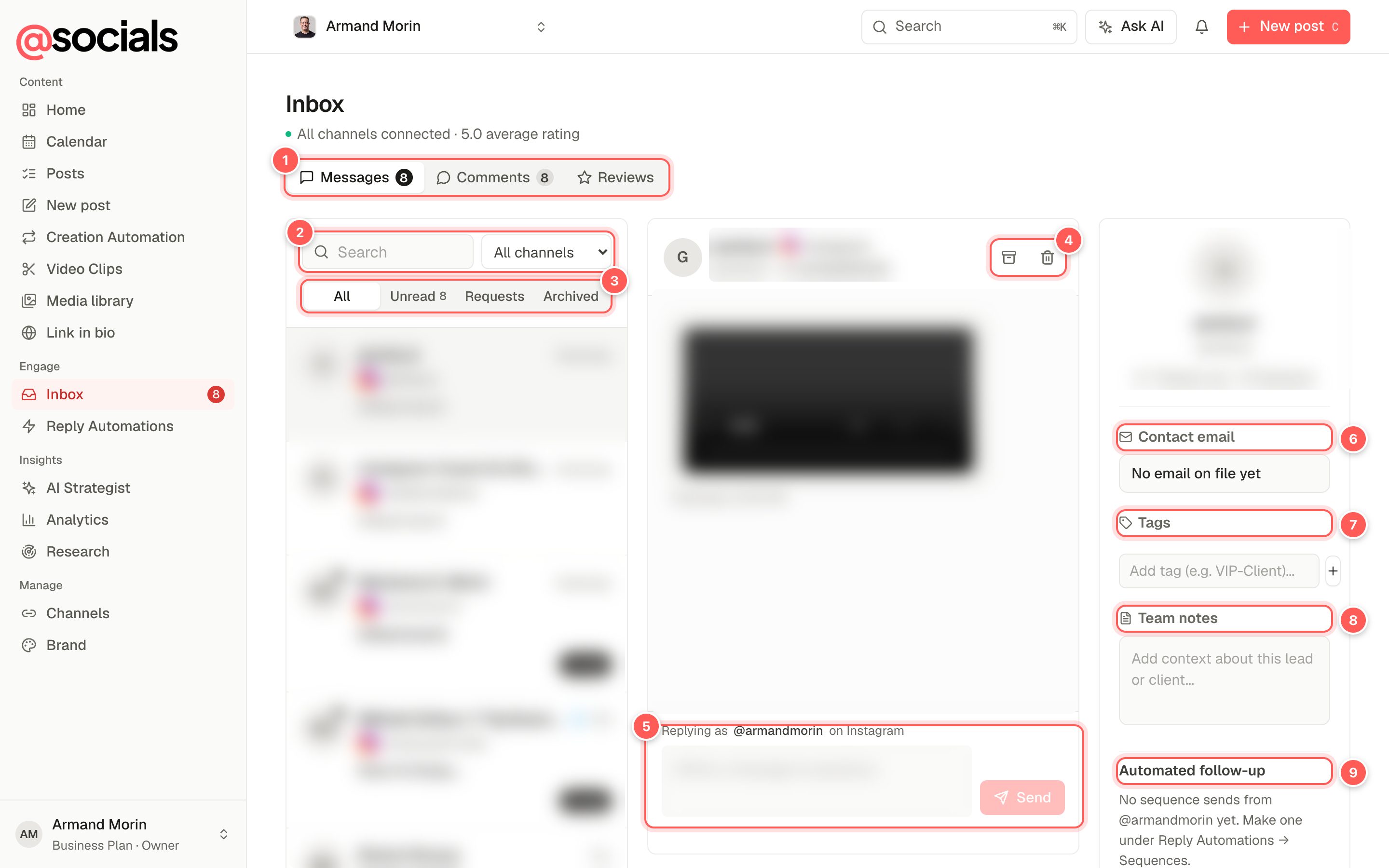
- Messages, Comments, Reviews. The number is how many are unread.
- Search and channel filter.
- All, Unread, Requests, Archived. Requests are message requests the network keeps apart from your main inbox, usually from people who don't follow you.
- Archive or remove the conversation.
- Reply. Shows which account you're replying as and on which network.
- Contact email. Keep the person's email on file.
- Tags such as VIP-Client or Lead to sort people.
- Team notes: context for your team about this lead or client. Never sent to the person.
- Automated follow-up. Add to sequence enrols this person in a DM sequence from Reply Automations.
Message limitsNetworks limit how many messages you can send. If you reach the limit you'll see Messages can't be sent right now; try again later.
Comments
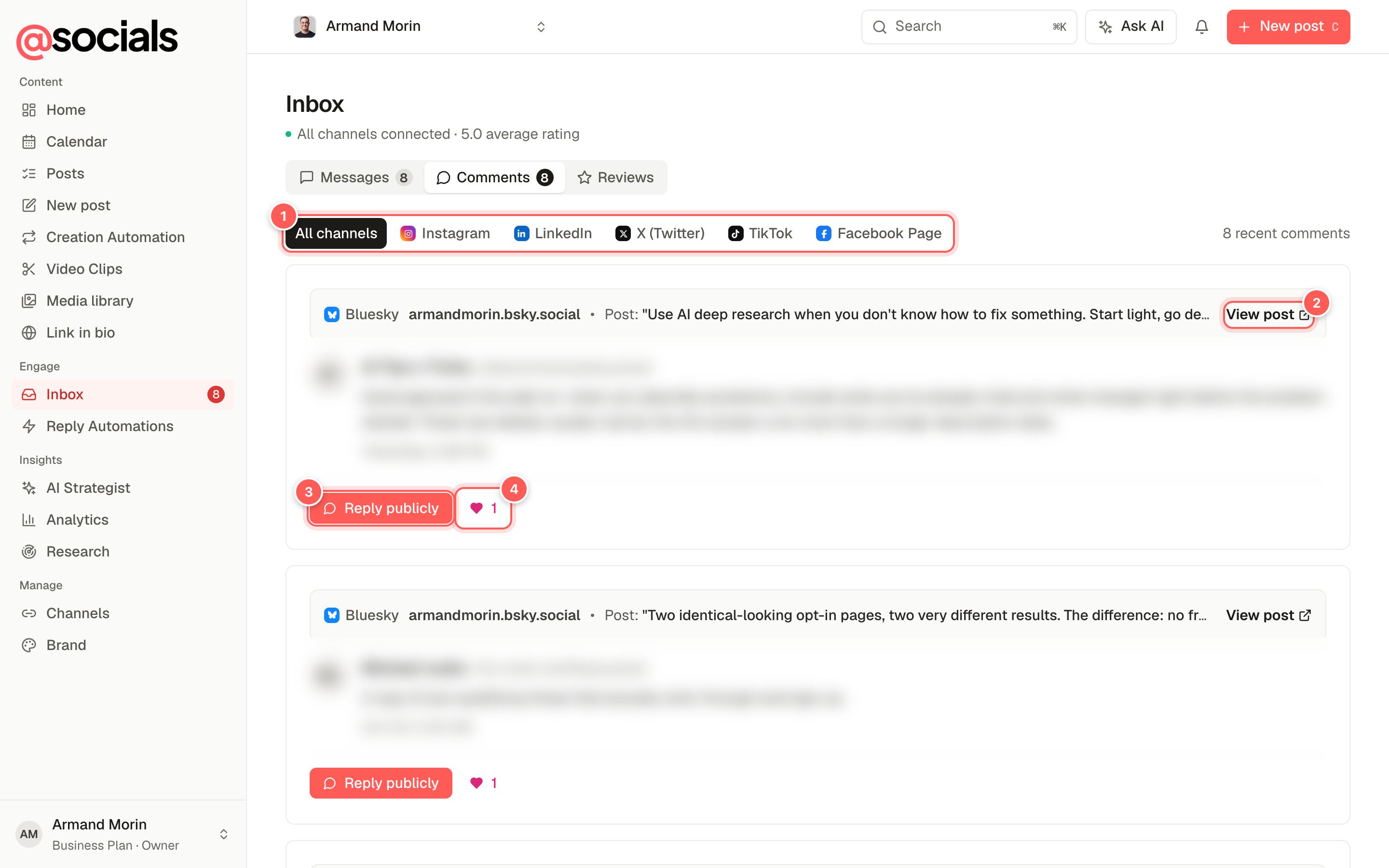
- Channel filter.
- View post opens the post the comment is on.
- Reply publicly answers under the comment.
- Likes on the comment.
Where the network allows it you can also Send private DM to the commenter, Hide the comment or Delete it. Deleting removes it on the network for everyone.
Reviews
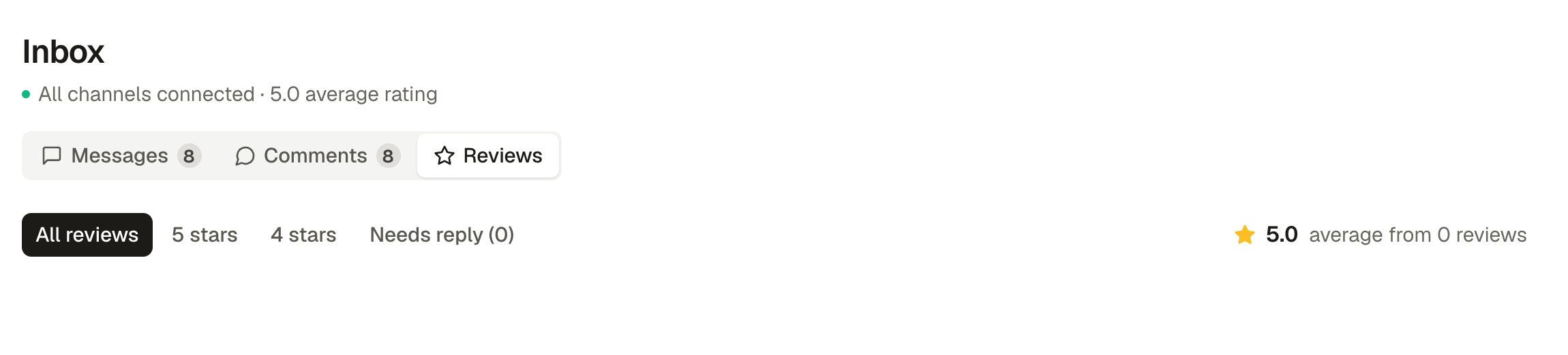
Filter by stars or Needs reply, and reply to each review from here. Reviews appear once a Google Business location is connected.
Not seeing the inbox?The inbox depends on your plan and on the network: some networks don't give apps access to messages. Channels that can't be read here are listed as not connected under the title.