Reply Automations
Answer people the moment they show interest. When someone comments a keyword, messages you, or opens a chat from an ad, AtSocials can send the right message straight away and follow up later.
There are three kinds, one per tab: Comment-to-DM, Sequences and DM flows.
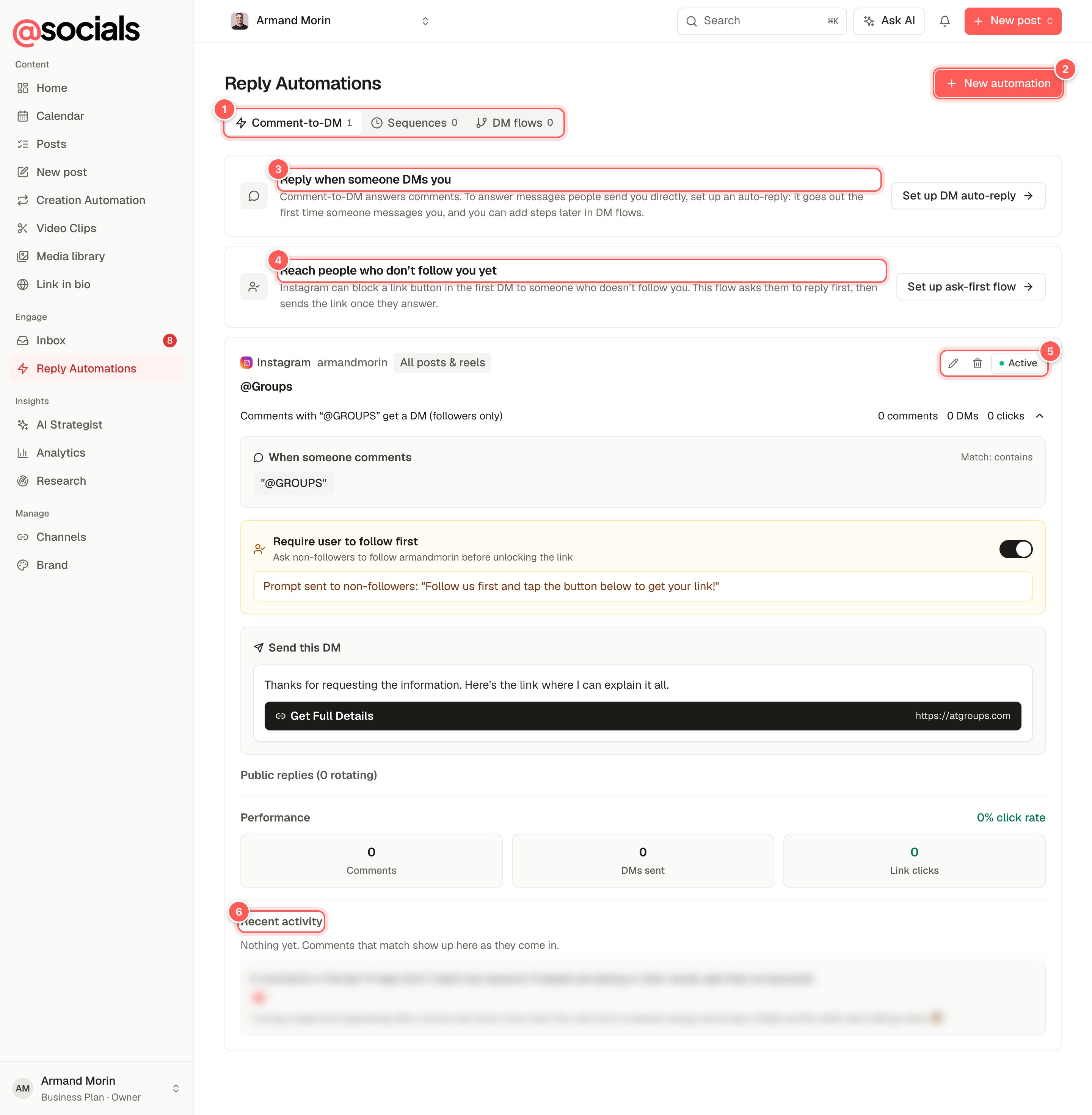
- Tabs with how many of each you have.
- New automation (the button changes to New sequence or New flow on the other tabs).
- Reply when someone DMs you. Sets up an auto-reply to the first message someone sends you.
- Reach people who don't follow you yet. A starter flow that asks first, then sends the link. See Ask first.
- Edit, delete, and Active / Paused. Click Active to pause an automation.
- Recent activity: each time it ran, whether the DM was sent, failed, skipped or is waiting for a follow, plus comments that didn't match any keyword (kept for about 7 days).
Comment-to-DM
The classic: post "Comment GUIDE and I'll send it to you", and everyone who comments GUIDE gets a DM with the link.
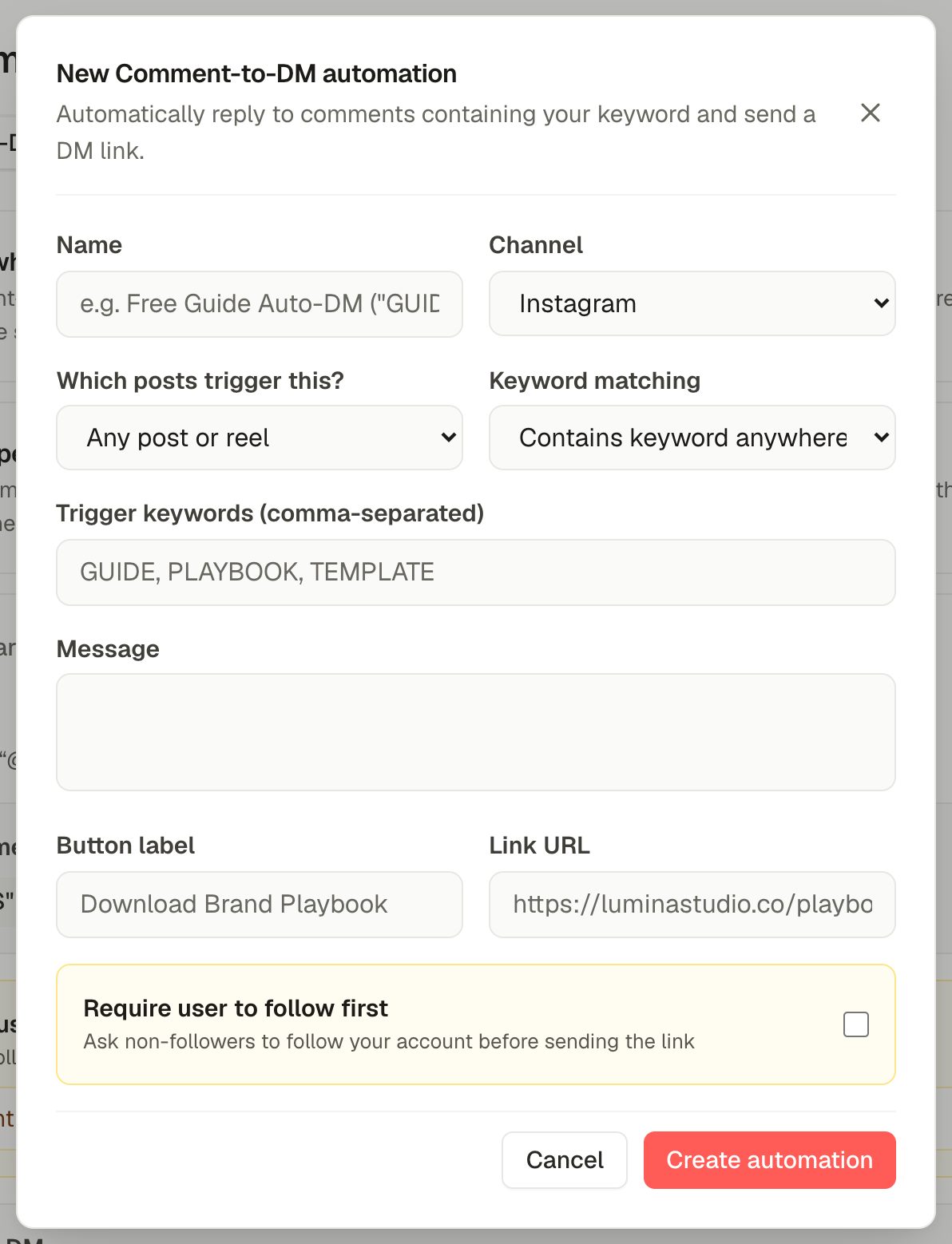
- Name it and pick the channel (Instagram, Facebook Page, LinkedIn or X).
- Which posts trigger this? Any post or reel, or one specific post.
- Keyword matching: anywhere in the comment, an exact word, or the exact comment. Add one or more trigger keywords, separated by commas.
- Write the message, then a button label and link URL for the button under it.
- Tick Require user to follow first to ask non-followers to follow before they get the link.
- Click Create automation. It starts right away.
An open automation also shows its Performance (comments, DMs sent, link clicks and click rate) and any rotating public replies.
Ask first (people who don't follow you)
Instagram can block a link button in the first DM to someone who doesn't follow you. The Set up ask-first flow starter gets around it: it replies to the comment with a plain question, waits for the person to answer, then sends the link.
Sequences
A sequence is a series of DMs sent over time, for example a welcome message, a tip two days later and an offer at the end of the week.
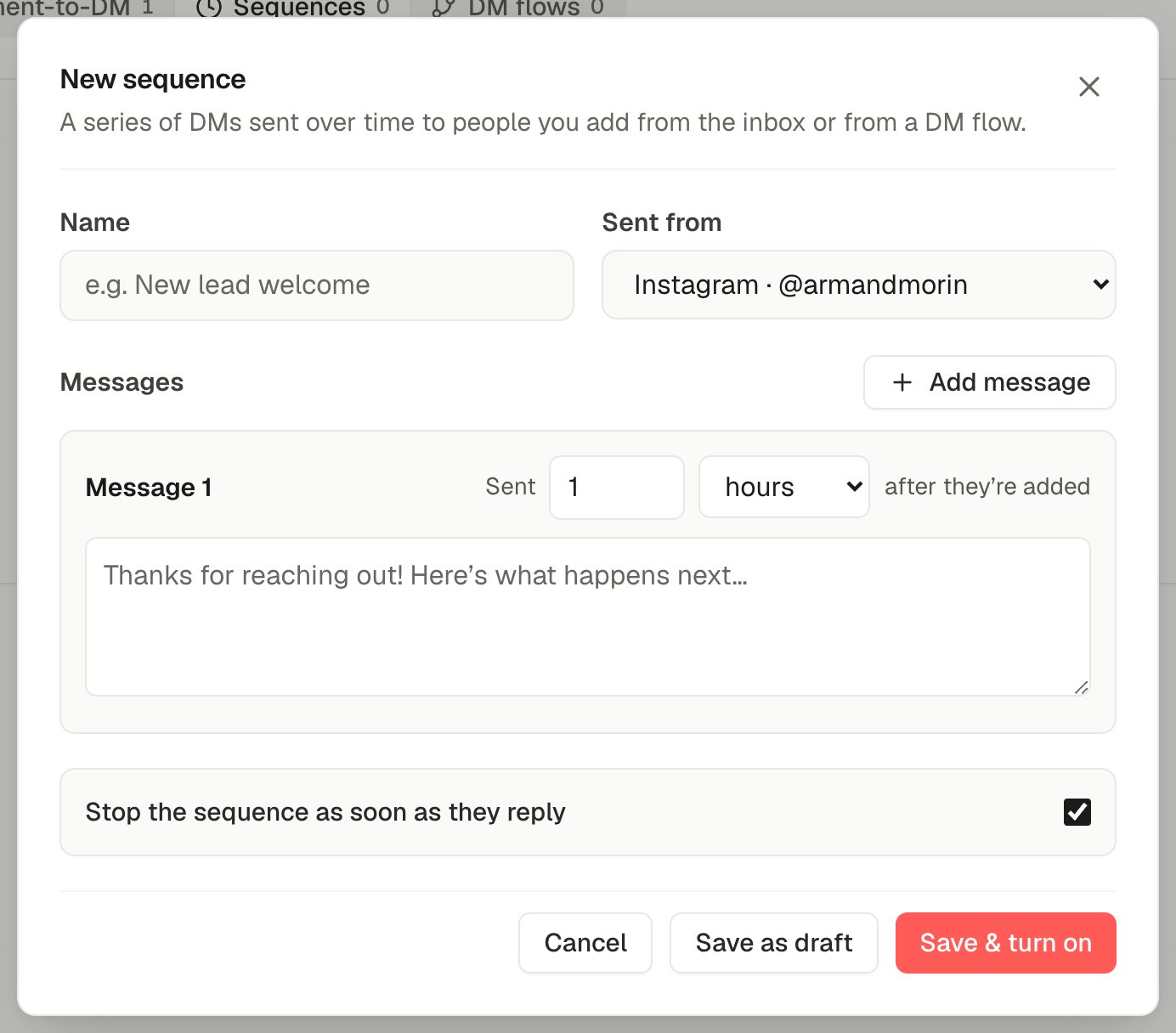
- Choose which account it's sent from.
- Each message has a delay (minutes, hours or days after the person is added). Add message adds the next one.
- Stop the sequence as soon as they reply so people who answer get a human.
- Save as draft or Save & turn on.
People join a sequence from the Inbox (Add to sequence on a conversation) or from an Add to a sequence step in a DM flow. Only people who have messaged you can be added.
DM flows
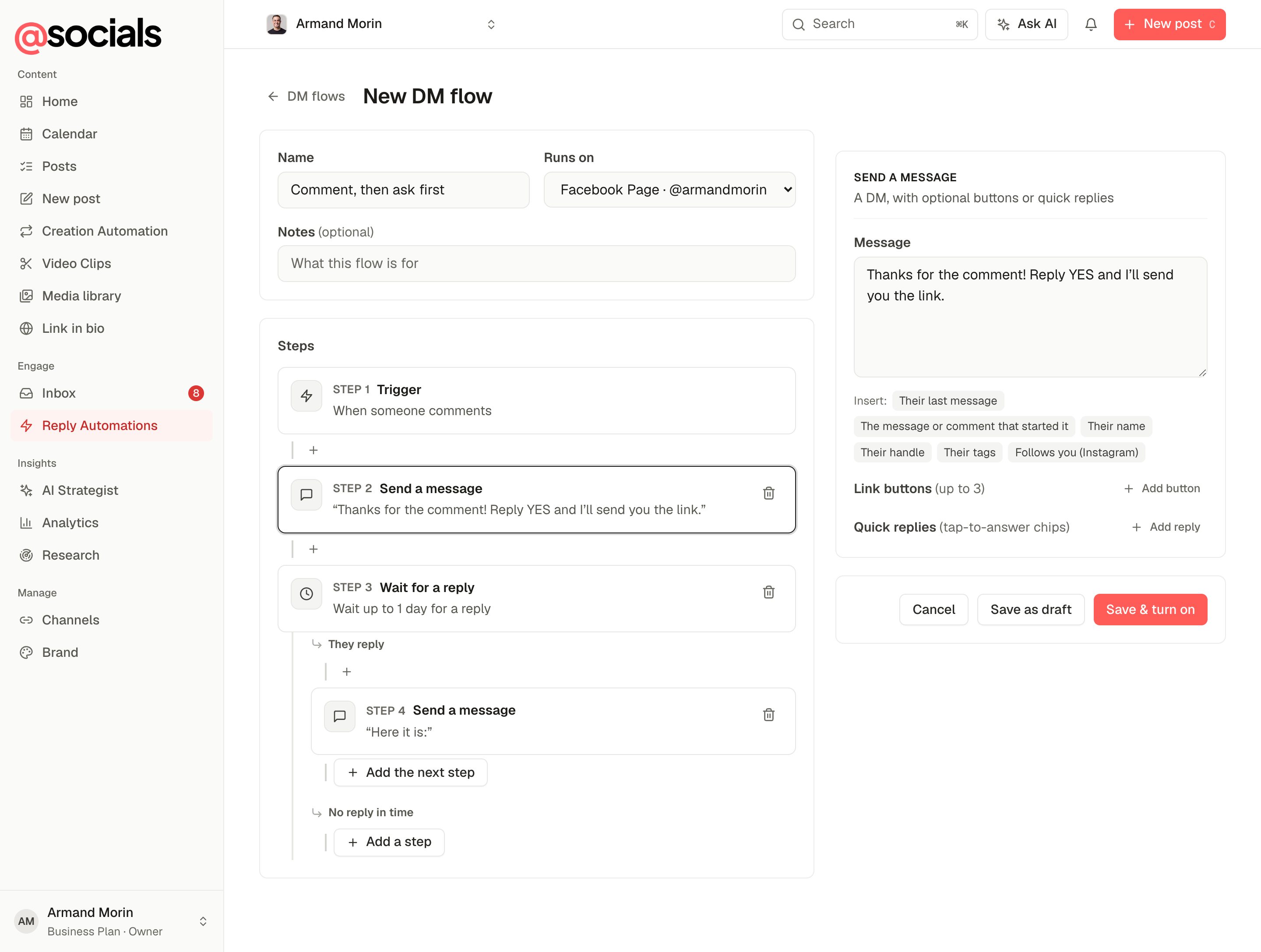
DM flows are step-by-step conversations with branches. Use them for an auto-reply, a qualifying question, an A/B test or a lead magnet.
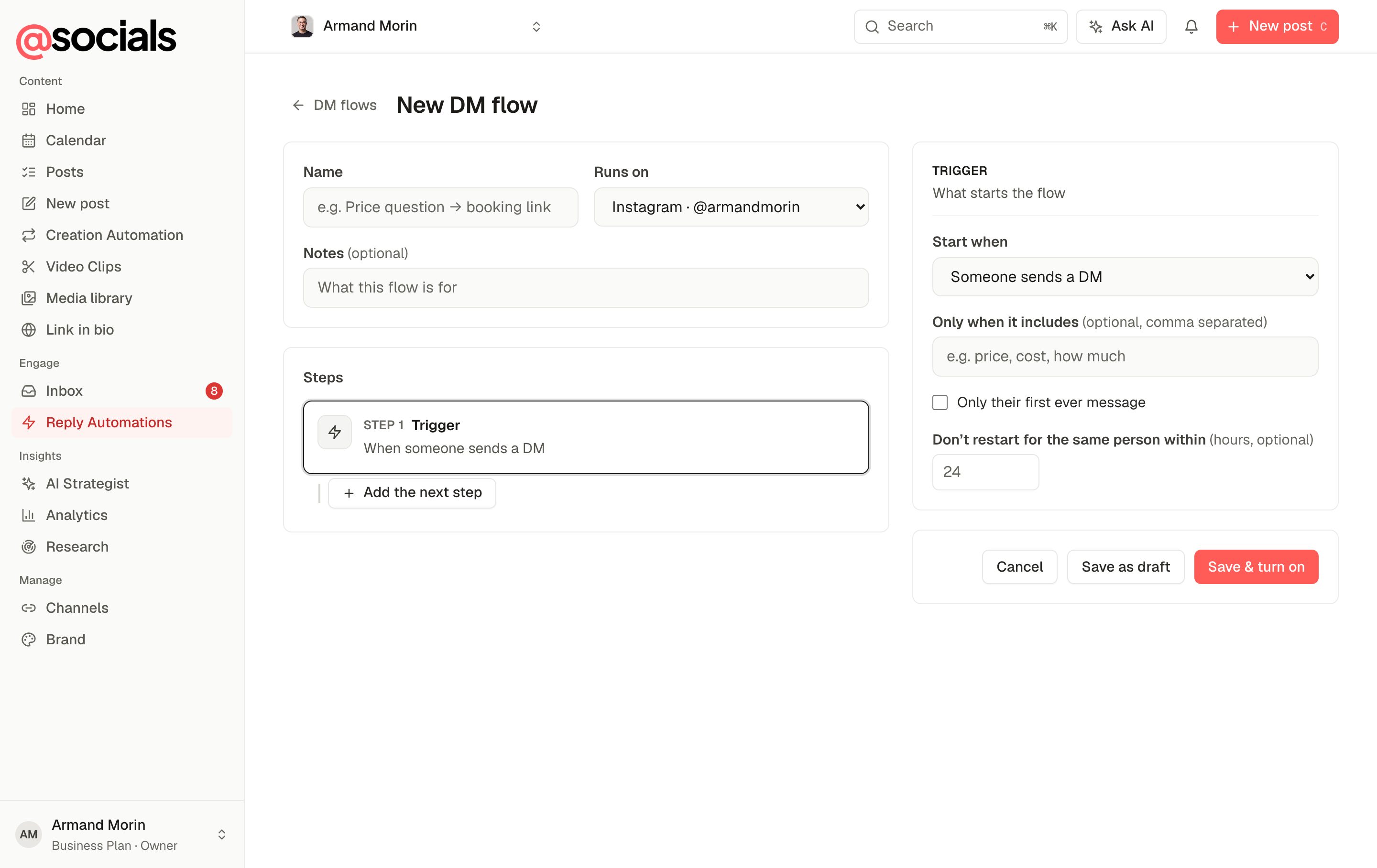
- Give the flow a name and pick the channel it runs on.
- Set the trigger: someone sends a DM, mentions you in a story, comments on a post, opens a chat from an ad or link, or an API call. You can limit it to messages with certain words and to the first message only.
- Click Add the next step: send a message (with buttons or quick replies on Meta channels), wait for a reply, wait a set time, check a condition, add or remove a tag, save a field, split A/B, add to a sequence, hand off to a person, or end. Steps that wait or check have two branches (for example They reply and No reply in time).
- Save as draft or Save & turn on. The builder checks the flow first and tells you if something's missing.
Links and QR codes for ads
With the trigger Someone opens a chat from an ad or link and a ref, Instagram flows show a ig.me/m/yourhandle?ref=… link and a downloadable QR code. Put it in an ad, on a flyer or on stage, and everyone who opens it starts this flow.