Help center · Create & publish
Link in bio
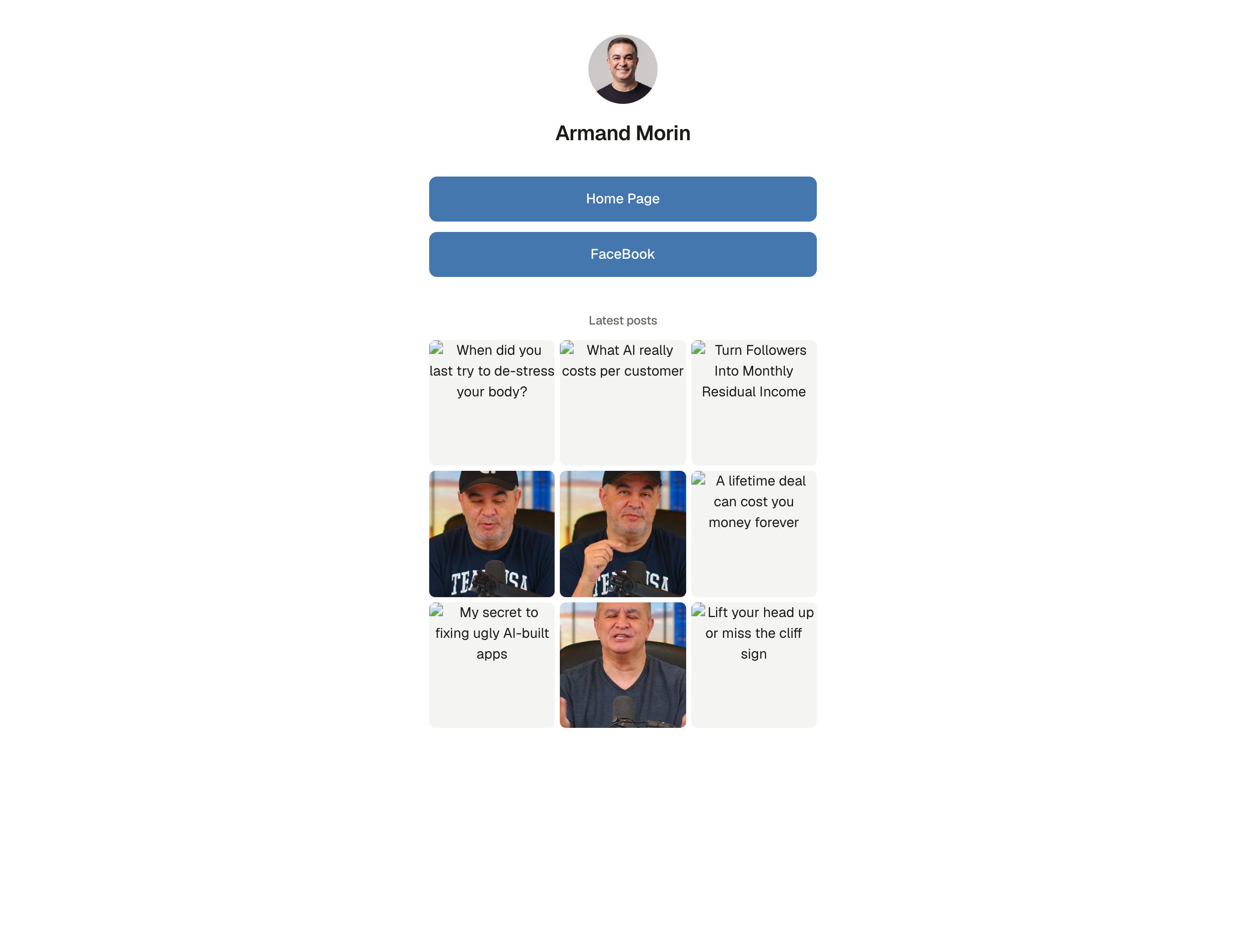
Most networks give you one link in your profile. Point it at your AtSocials link page: your logo, a short bio, your links and your latest posts, in your brand colour.
Set up your page
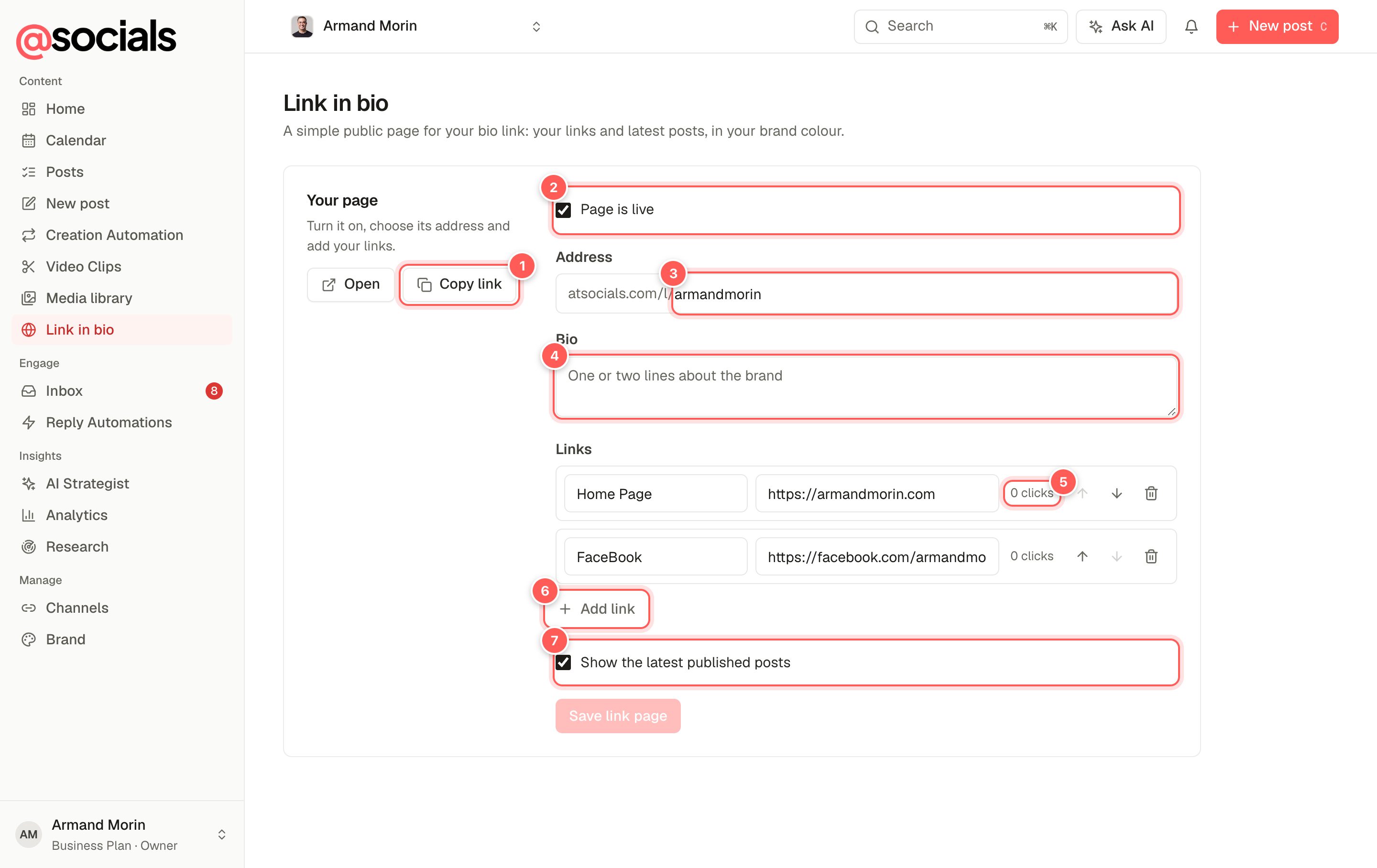
- Open / Copy link. See the live page or copy its address to paste into your profiles.
- Page is live. Untick it to take the page offline.
- Address. The end of your page's link, for example
atsocials.com/l/yourname. - Bio. One or two lines about the brand.
- Clicks. Each link shows how many times it was clicked.
- Add link. Add a label and a URL. Use the arrows to reorder and the bin to remove.
- Show the latest published posts adds a grid of your recent posts under the links.
Click Save link page when you're done. Changes appear on the live page within a minute.
What visitors see
TipChange the order of your links when you run a campaign, so the link you're promoting is always at the top.