AI Strategist
The AI Strategist is a chat that knows your brand. It looks at how your posts perform, what's on your calendar and when your audience is active, then suggests what to post next, quoting your own videos and notes word for word.
Open it from the sidebar (Insights → AI Strategist) or with Ask AI in the top bar.
Ask a question
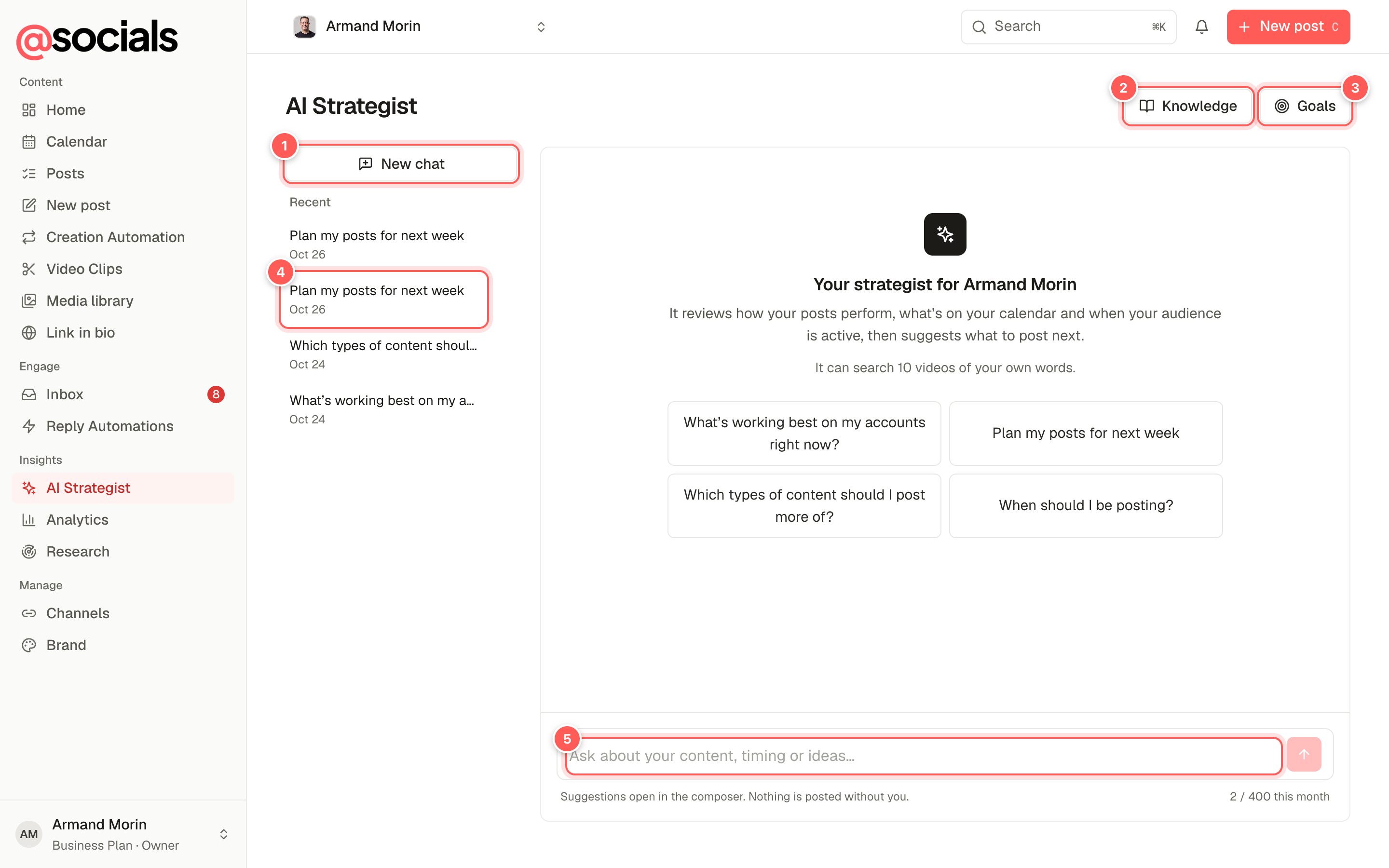
- New chat starts a fresh conversation.
- Knowledge: what the strategist can quote about your brand. See Knowledge.
- Goals: what it should work towards. See Goals.
- Recent chats, private to you and this brand.
- Ask anything about your content, timing or ideas. The counter underneath shows how many questions are left this month.
Good questions to start with:
- What's working best on my accounts right now?
- Plan my posts for next week.
- Which types of content should I post more of?
- When should I be posting on Instagram?
- Turn my last webinar into five post ideas.
Answers stream in as the strategist checks your numbers. It can only read: it never creates, schedules or deletes anything.
Post suggestions
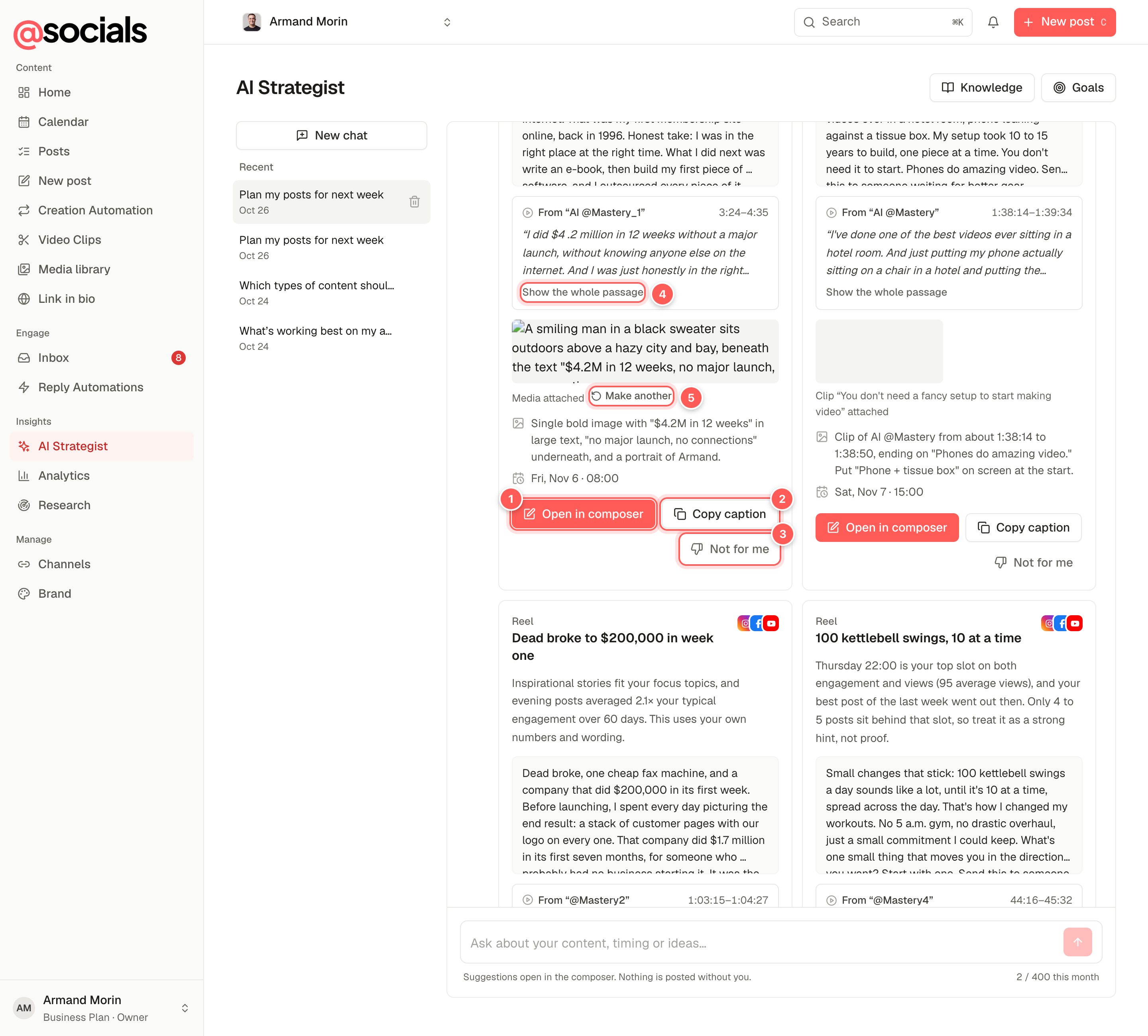
- Open in composer fills the composer with the caption, channels, date and time, media and search phrase. You still review and schedule it yourself.
- Copy caption copies the text.
- Not for me dismisses the idea. The strategist remembers what you like and dislike.
- Show the whole passage. Ideas based on your own content quote it exactly, with the video name and timestamp.
- Make another remakes the attached image or clip.
When an idea quotes one of your videos, the card can Cut this clip (a captioned clip of that exact moment, up to 90 seconds) or reuse a clip you already made. For image and carousel ideas, Make the image / Make the slides creates the visual. Posts started from a suggestion are tagged ai-strategist.
Knowledge
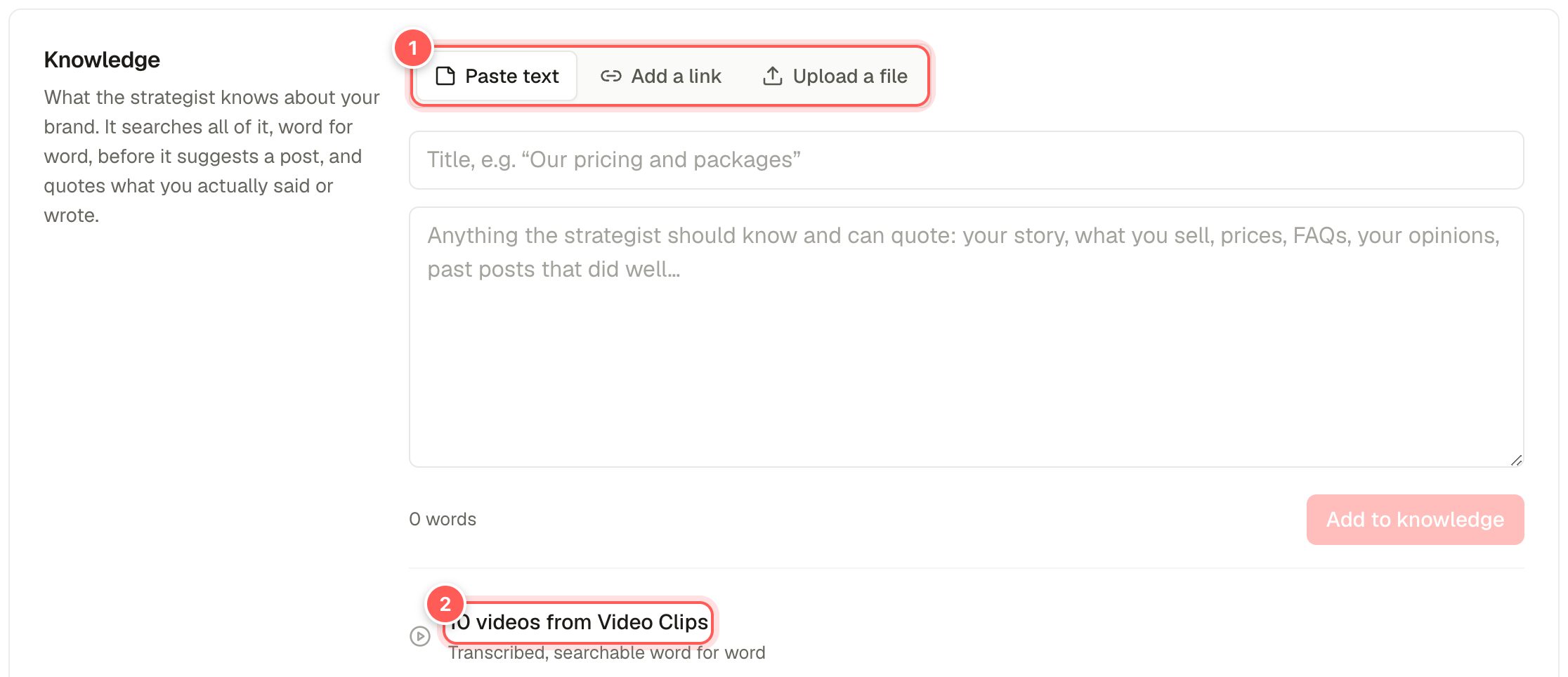
- Paste text, Add a link or Upload a file. Your story, products and prices, FAQs, opinions, past posts that did well. Links can be web pages, YouTube videos (with captions) or PDFs. Files can be text, Markdown or PDF.
- Videos from Video Clips. Every video you process in Video Clips is transcribed and searchable automatically.
The strategist searches this by meaning and by keyword, quotes it word for word and keeps your caveats. Remove a source at any time; it's forgotten straight away.
Goals
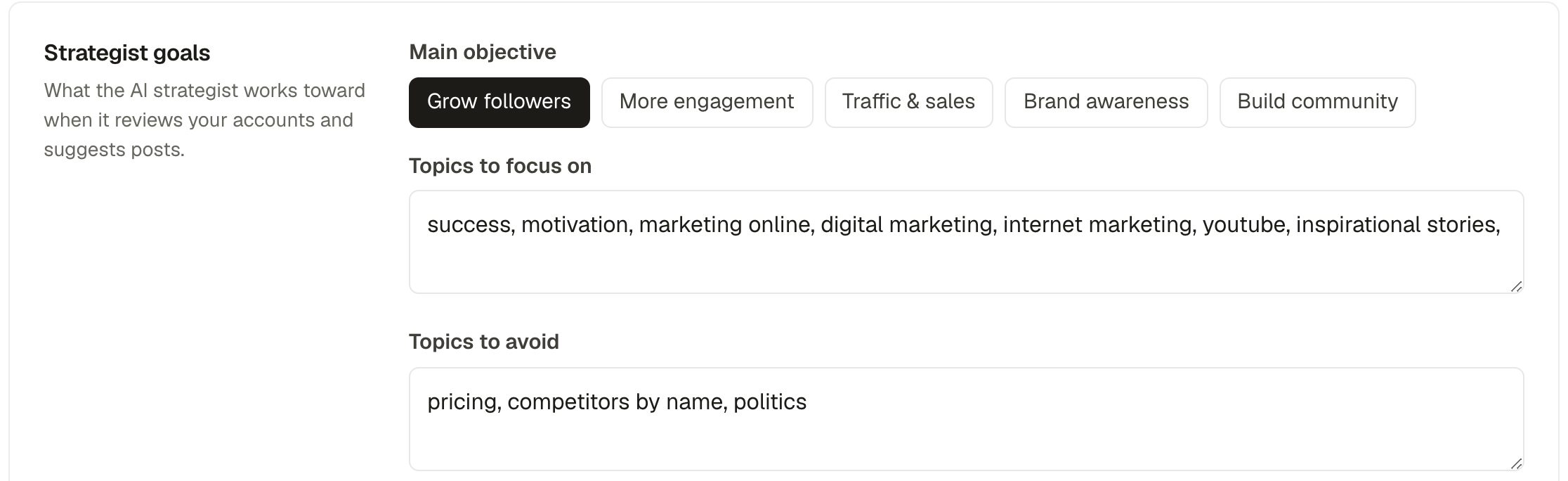
- Main objective: grow followers, more engagement, traffic & sales, brand awareness or build community.
- Topics to focus on and topics to avoid.
- Anything else it should know (a launch next month, a new location) and how many posts a week you aim for.
Owners and admins can change the goals; editors can read them.
Daily opportunities
The strategist also writes up to three opportunity cards on Home each day, using your goals and what you've dismissed before.